Why reviews drag on
Reviewing access is quick. Assembling a list worth reviewing is what consumes the quarter. By the time the spreadsheets are reconciled, the data is old enough that people start querying whether the exercise means anything.
The delays are consistent across organisations: every system exports a different shape of data, usernames don’t match between HR and the applications, leavers are still present in half the systems, and a handful of shared accounts belong to nobody in particular.
Fix the inventory first
You cannot review what you cannot list, so the preparation deserves more of the budget than the review itself. Done properly, it also produces findings before a single reviewer has been asked anything.
- List the systems in scope and name an owner for each. A system with no owner is the first finding.
- Agree one source of truth for who works here, normally HR, and treat it as authoritative for the duration.
- Pull exports into a consistent shape: person, account, role or permission group, last used, and status.
- Reconcile against the source of truth and resolve the orphans — leavers, duplicates, shared accounts and service accounts — before reviewers see anything.
Reviewers approve everything when the list is too long to read. A short, well-prepared list is what gets you a real answer.
Make the reviewer’s job small
A manager asked to confirm several hundred individual permissions will approve the lot in one click, and the review will have achieved nothing. Three changes do most of the work here.
Group by role
Review role definitions and who holds them, rather than thousands of individual permissions.
Effect turns an unreadable list into a page of decisions.
Show the change
Highlight what is new or elevated since the last review. Unchanged access needs less scrutiny.
Effect attention lands where the risk actually moved.
Capture the reason
Keep, remove or change — with the reason recorded at the point of decision, not chased afterwards.
Effect the evidence pack assembles itself.
Give each reviewer only their own people and systems, and a deadline measured in days rather than weeks. Long windows don’t produce more careful reviews; they produce the same review, later.
What auditors want to see
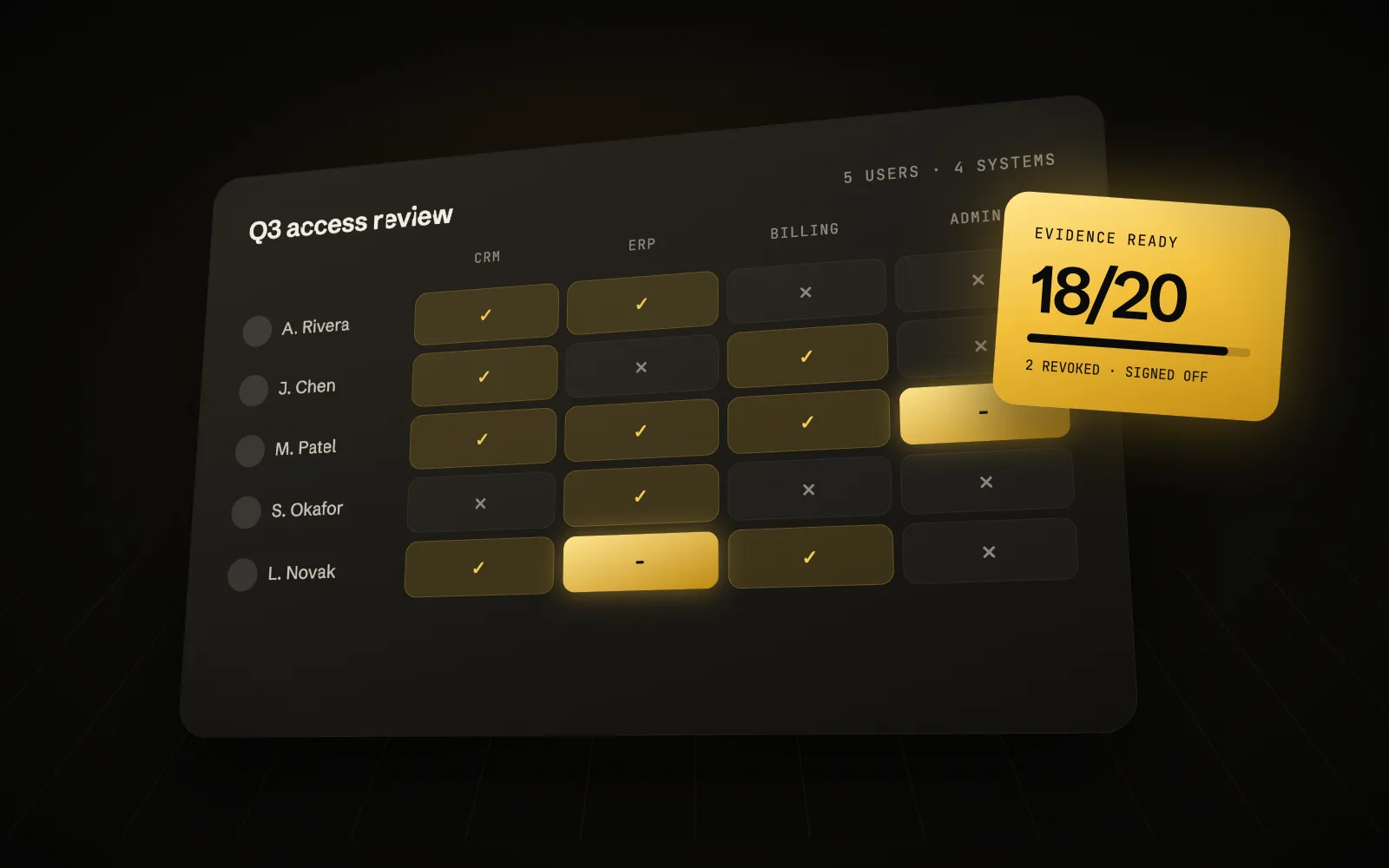
The evidence expected is more specific than most teams prepare for, and it is easier to collect during the review than to reconstruct after it.
- The scope: which systems were in and out, and the reasoning for both.
- The population reviewed, with the date it was extracted.
- Who reviewed what, and that they were the right person to do it.
- Each decision with its reason, including the decisions to keep access.
- Proof that removals were actually carried out, and when.
- Exceptions, who approved them, and when they are due to be revisited.
The gap we find most often is the last mile: the decision to revoke is recorded, but nothing demonstrates it was executed. Closing that loop with a ticket reference or a system log turns a finding into a clean result.
Making the next one cheaper
Each review should leave the next one less expensive. If the second review costs what the first one did, the underlying problems weren’t addressed — only the symptoms were reported.
- Fix joiners, movers and leavers at source. Most review findings are really onboarding and offboarding findings.
- Retire shared accounts, or give each one a named owner and a documented reason to exist.
- Move towards role-based access so the next review has fewer, larger things to look at.
- Automate the exports, even crudely. The same manual extract run four times a year is worth scripting once.
- Review high-risk systems more often and low-risk systems less, rather than everything on the same cycle.
In short
Key takeaways
- Most of the effort is inventory and reconciliation. Budget for it deliberately.
- Review roles and changes, not every permission for every person.
- Evidence the removal, not just the decision to remove.